 Cataloger AI
For collectors of anything
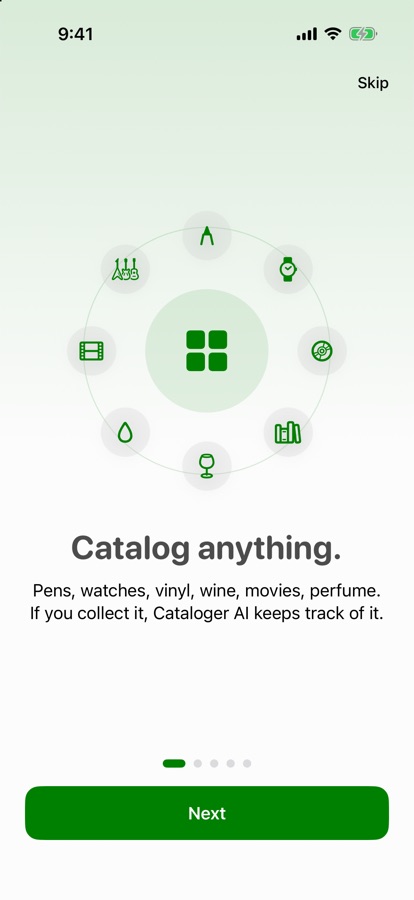
Catalog anything you collect.
Pens, watches, vinyl, books, wine, perfume, movies. Build your own categories and fields, import the spreadsheet you already have, and let AI fill in the details. On your iPhone, with no account.

Your collection stays on your device, or syncs through your own iCloud if you choose. No ads, no tracking.
Your fields, your rules
Track exactly what matters about each thing you collect.
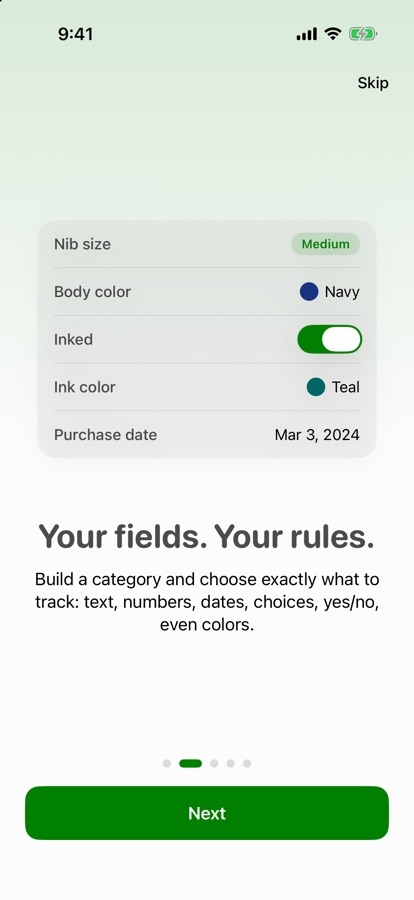
Every collection is different. A pen has a nib size and an ink color. A watch has a movement and a serial number. A record has a pressing. Build a category with the fields you want: text, numbers, dates, choices, yes or no, even colors. Fields can appear only when they matter, like an ink color that shows once a pen is inked.
Start from a template for pens, watches, vinyl, books, wine or fragrances, or build your own in a minute.
Bring what you have
Already have a spreadsheet? Import it.
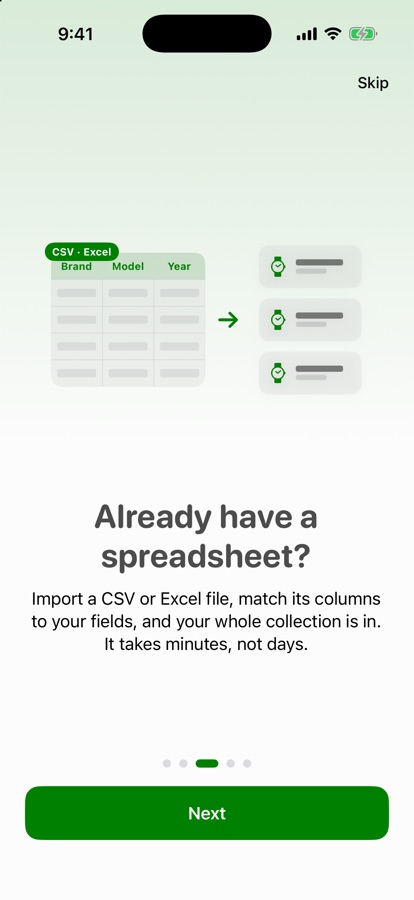
Pick a CSV or Excel (.xlsx) file, match its columns to your fields, and your whole collection is in. It can even build the category from your file's column names. It takes minutes, not days.
Exporting is just as easy, so your data is always yours to keep.
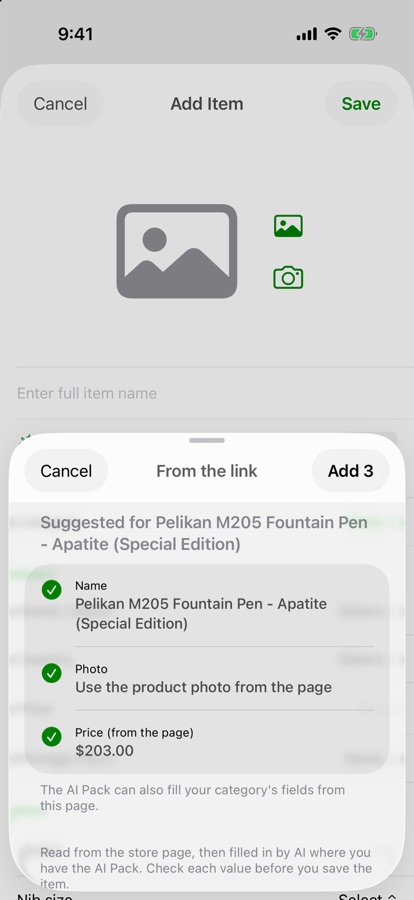
Add from any store
Share a link. The details fill themselves in.
Found something in Safari or a store app? Tap Share and choose Cataloger AI. The name, photo, price and details are read from the page and offered for you to review. With the AI Pack, your category's own fields are filled in too, like notes for a fragrance or a movement for a watch.
Nothing is added until you say so.
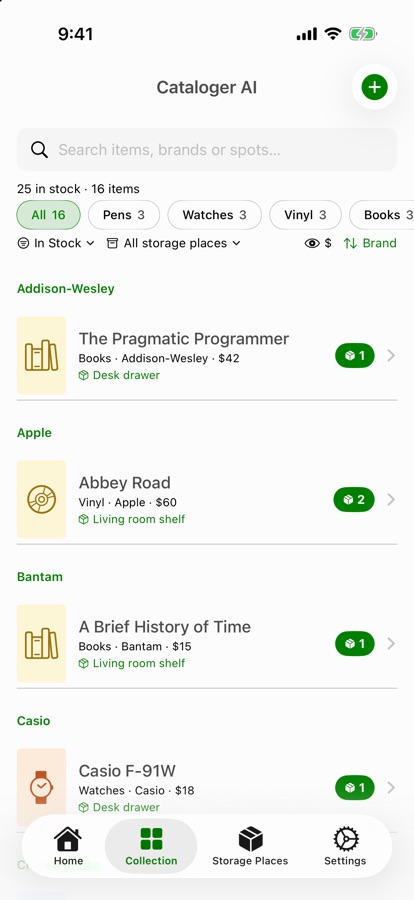
Know what you have
Find anything, and know where it is.
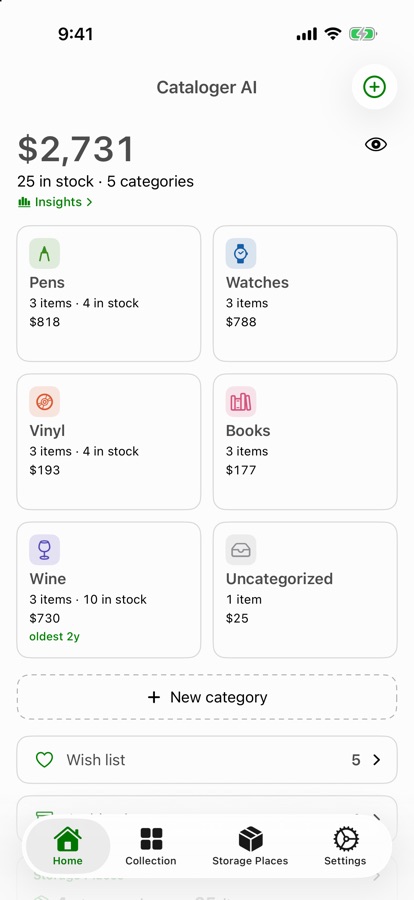
Filter by category, search by name, brand or spot, and see what is in stock, on your wish list or archived. Give every item a storage place so you never lose track of where it lives. Hide the dollar amounts with one tap when someone is looking over your shoulder.
Insights
See where the value is.
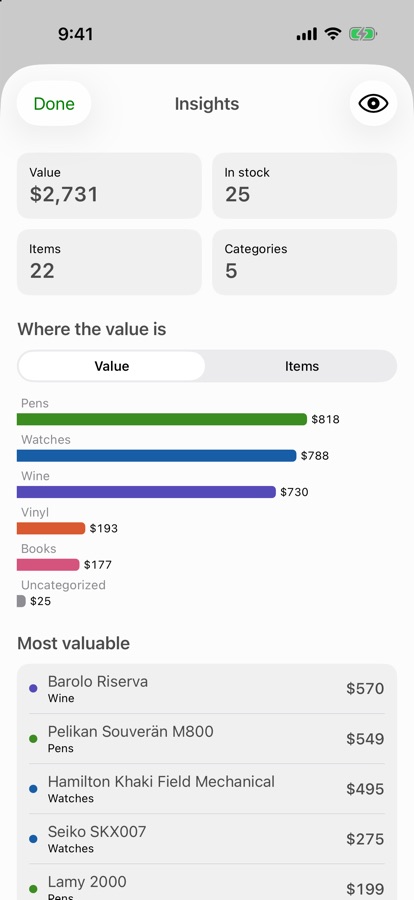
Tap the total on Home for a bar chart of your collection by category and a list of your most valuable items. Everything is worked out on your phone.
AI Pack optional
Everything above works without a subscription. The AI Pack is an optional extra that does the typing for you.
AI Fill
Type a name and your category's own fields fill in: maker, size, year, notes and more.
From a photo
Photograph an item, its label or its box and it is identified for you.
Scan a shelf
Photograph several items at once, review the list, and add the ones you pick.
Smarter links
Fields are filled from the description and specifications on the store's page.
$2.99 a month or $19.99 a year. Cancel any time in your Apple Account settings.
Every suggestion is shown for you to review, and facts about your own copy, like its condition or what you paid, are left for you. AI can be wrong, so check each value.
Pass a category to a friend
Swipe a category and tap Share to send its name, icon and fields through Messages, Mail or AirDrop. Never your items. When your friend opens it, they see exactly what it will add and confirm.
Get started
Send a link from any store
- Open a product in Safari or a store app and tap Share.
- The first time, scroll the app row to the end, tap More, switch on Cataloger AI, and drag it up to Favorites.
- Tap Cataloger AI, choose a category, and review what was found.
You can also paste a link: in the add-item form, tap Link. Reading pages happens on your device. Some stores block automated reading, and then you can fill the details in by hand.
Questions
Where is my collection stored?
On your device. We never receive it. If you turn on iCloud sync, it is also kept in your own private iCloud so it matches across your devices. It can be included in your own iCloud or computer backups under your Apple settings.
Can I use it on more than one device?
Yes. Turn on Sync with iCloud in Settings on each device that uses the same Apple Account, then reopen the app. It is off until you choose it, and it syncs through your own iCloud, never through our servers.
Do I need the AI Pack?
No. Categories, fields, importing, sharing, storage places, charts and reading store pages all work without it.
How much does the AI Pack cost?
$2.99 a month or $19.99 a year, billed through your Apple Account. It renews automatically until you cancel in your Apple Account settings, and access ends when the period you paid for ends. Prices may vary by region.
What does the AI Pack send, and where?
Only when you use an AI feature: the item name, your category's field names, and a photo or a short page summary if you chose one. See the Privacy Policy for the details.
Why did a link fill in only part of the details?
Stores arrange their pages differently. The app opens the page the way a browser does and reads what is there, but some stores hide details or block automated reading. Whatever is found is offered for you to accept, and you can type the rest.
Can I import from Excel?
Yes, .xlsx files and CSV files. The first row should have column names. The older .xls format is not supported; save it as .xlsx or CSV.
How do I cancel the subscription?
In Settings on your iPhone, tap your name, then Subscriptions. Deleting the app does not cancel it.
Can I hide dollar amounts?
Yes. Tap the eye on Home, on the Collection filter row, or on the Insights screen. It is one setting shared everywhere.
Support
Questions, problems or ideas? Email bharned3@gmail.com.
Cataloger AI is made by Bill Harned. Apple, the App Store and iPhone are trademarks of Apple Inc.